Iron Deck
Get Ready to Rock. Two Independent Tape Machine Channels. Every Track Gets the Iron.
Iron Deck
Free. No account, no activation, no expiry.
By downloading you agree to our EULA and Privacy Policy.
Every Track Deserves the Feel of Tape.
Now Every Track Can Have It.
There is a quality to tracks that were recorded through real tape machines - not just warmth, but weight. Notes have a shape to them. Peaks round off in a way that sounds like physics instead of math. Transients breathe. The whole mix sits together without needing anything extra holding it down. That is what Iron Deck puts on a channel insert.
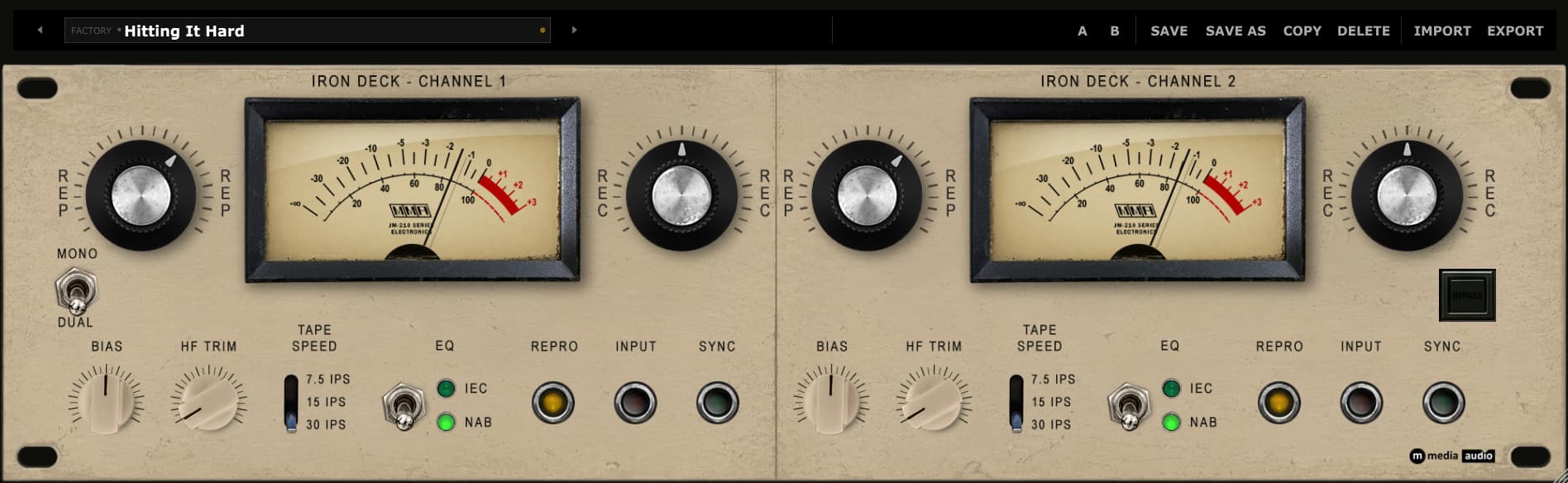
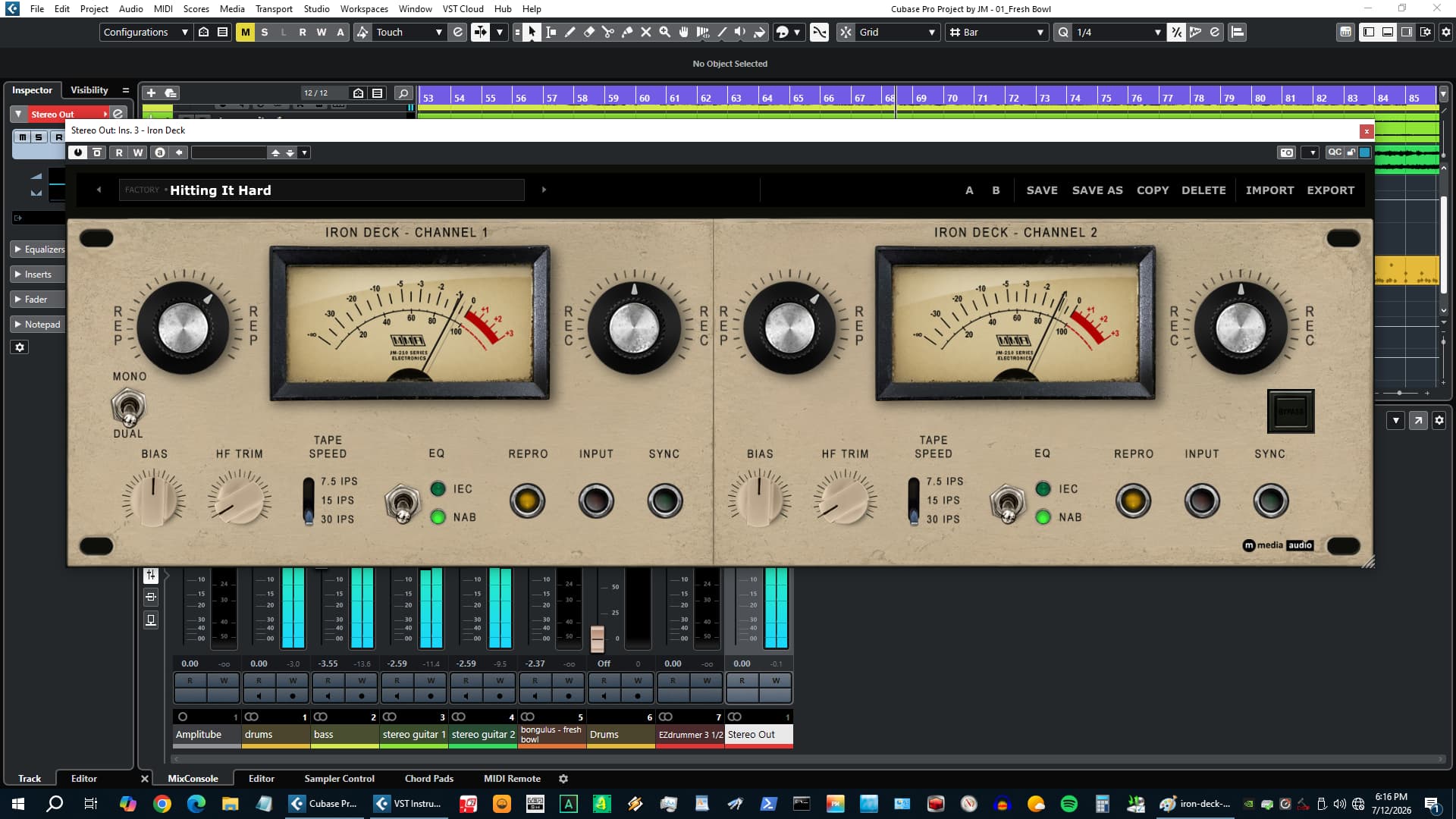
Two fully independent tape machine channels in one plugin. Each one runs a complete signal path: input drive into nonlinear tape saturation, RMS compression that acts exactly the way tape does - barely audible at moderate levels, naturally rounding peaks when you push it - mode EQ, IEC or NAB playback curve, bias trim, tape speed shelving, and output level. Hit it soft and it adds character. Push it harder and it starts doing what tape does - grabbing the signal, gluing it, making it feel like it belongs to something.
Free. No account, no activation, no expiry.
Drop it on a channel. Any channel.
REPRO mode, 30 IPS, REC at noon. That's a good starting point.
Then push the REC and feel it grab.
No account required - we send the link to your email. Full version, no time limit, no demo mode.
The Drive Engine
REC Is How Hard You Hit the Tape.
REP Is What Comes Out the Other Side.
On a real tape machine, record level is not just gain - it is the primary variable that determines how the machine behaves. Low record level and the tape barely saturates. Push record level and the physics change: the soft nonlinear transfer function starts rounding peaks, even-harmonic content builds up, and a natural RMS compression engages from the same circuit. Iron Deck models this directly. The REC knob controls drive into a tanh-based saturation stage with a soft-knee RMS compressor immediately behind it. At 9 o'clock it adds almost nothing - a light kiss of even-order warmth. At noon you start hearing the tape grab. Past noon the compression and harmonic content are audible and intentional. The REP knob is output level, post everything - bring it back where you need it after you've driven the iron as hard as the track can take.
- REC - Input drive into the tape saturation and compression stage
- REP - Output level, post all processing. Trim to taste after driving the circuit
- Saturation - Tanh-based soft transfer, even-harmonic dominant at moderate drive, odd harmonics appear as you push
- Tape compression - Soft-knee RMS, 1.5:1 ratio, ~2ms attack, ~100ms release. Never sounds like a compressor - only like glue
- VU meter - Reads post-REP output level. Standard needle ballistics, calibrated to the circuit
Three Signal Path Modes
REPRO Is the Full Machine.
INPUT Stays Clean. SYNC Sits between Them.
REPRO is the reproduce head path - IEC or NAB EQ fully active, full saturation from the REC drive, the complete tape circuit from front to back. This is the mode to reach for when you want the track to sound like it came off a reel. INPUT is the record amplifier path: minimal tape coloration, transparent solid-state character that adds subtle drive at high REC settings but stays clean at moderate levels. This is the mode for a source that needs the dynamic control without the tonal weight - drums, clean guitars, sources that need handling but not transformation. SYNC is the sync head monitoring sound: a mid-forward EQ curve, slightly different from REPRO, a subtle top-end compression. Engineers recording overdubs ran through the sync head for monitoring when the machine was in record - SYNC captures that specific quality, sitting between the full reproduce character of REPRO and the transparency of INPUT.
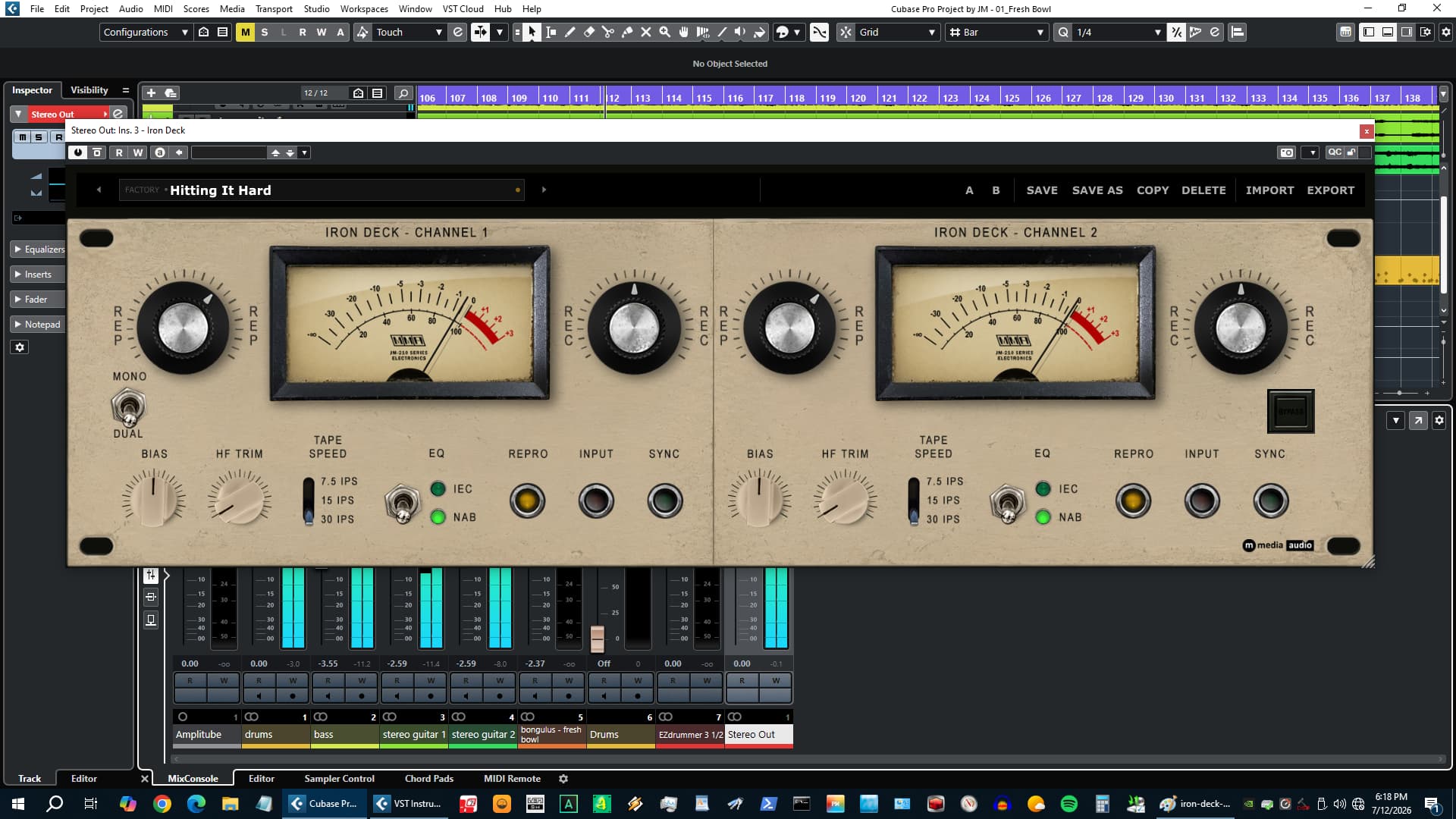
- REPRO - Full tape reproduce path. IEC or NAB EQ active. Full harmonic saturation from REC drive
- INPUT - Record amplifier path. Minimal tape coloration, transparent at moderate drive
- SYNC - Sync head character. Mid-forward curve, subtle top-end compression, the overdub monitoring sound
Tone Controls
IEC or NAB. 7.5 or 30 IPS. Bias - Forward or Back.
The IEC/NAB switch selects the playback EQ curve. IEC brings more top-end clarity and a slightly leaner low end - the European standard, brighter and more present. NAB gives more low-end weight and warmth, the classic American tape character that most engineers think of when they think of tape. The switch is active in all three modes. Tape speed changes the frequency response shelving: 7.5 IPS adds LF weight and softens the HF, giving a thicker, darker character with slightly more saturation feel. 15 IPS is baseline. 30 IPS lifts the HF and trims a touch of low end, giving a faster and more open character with less apparent saturation. The BIAS knob adjusts the harmonic ratio and HF response across a trim range above and below nominal. Turn it counter-clockwise for under-biased character: HF is lifted, more third-harmonic content, brighter and more aggressive. Turn it clockwise for over-biased: HF softens, more second-harmonic warmth, the rolled-off sound of tape pushed past optimal. The HF TRIM knob is a final shelving low-pass, independent of everything else - dial it down to taste when the top end is right and you just want a touch more air rolled off.
- IEC - European playback curve. More top-end clarity, leaner low end
- NAB - American playback curve. More low-end weight and warmth
- 7.5 IPS - +2-3 dB LF shelf ~80 Hz, -4 dB HF shelf ~9 kHz, darker and thicker
- 15 IPS - Neutral baseline
- 30 IPS - -1.5 dB LF shelf ~80 Hz, +2 dB HF shelf ~13 kHz, brighter and more open
- BIAS - Under/over bias trim. Counter-clockwise = brighter, more aggressive. Clockwise = warmer, rolled off
- HF TRIM - Final shelving low-pass, independent of bias and tape speed

Two Machines, One Insert
Both Channels Fully Independent.
Every Knob, Every Switch, Per Channel.
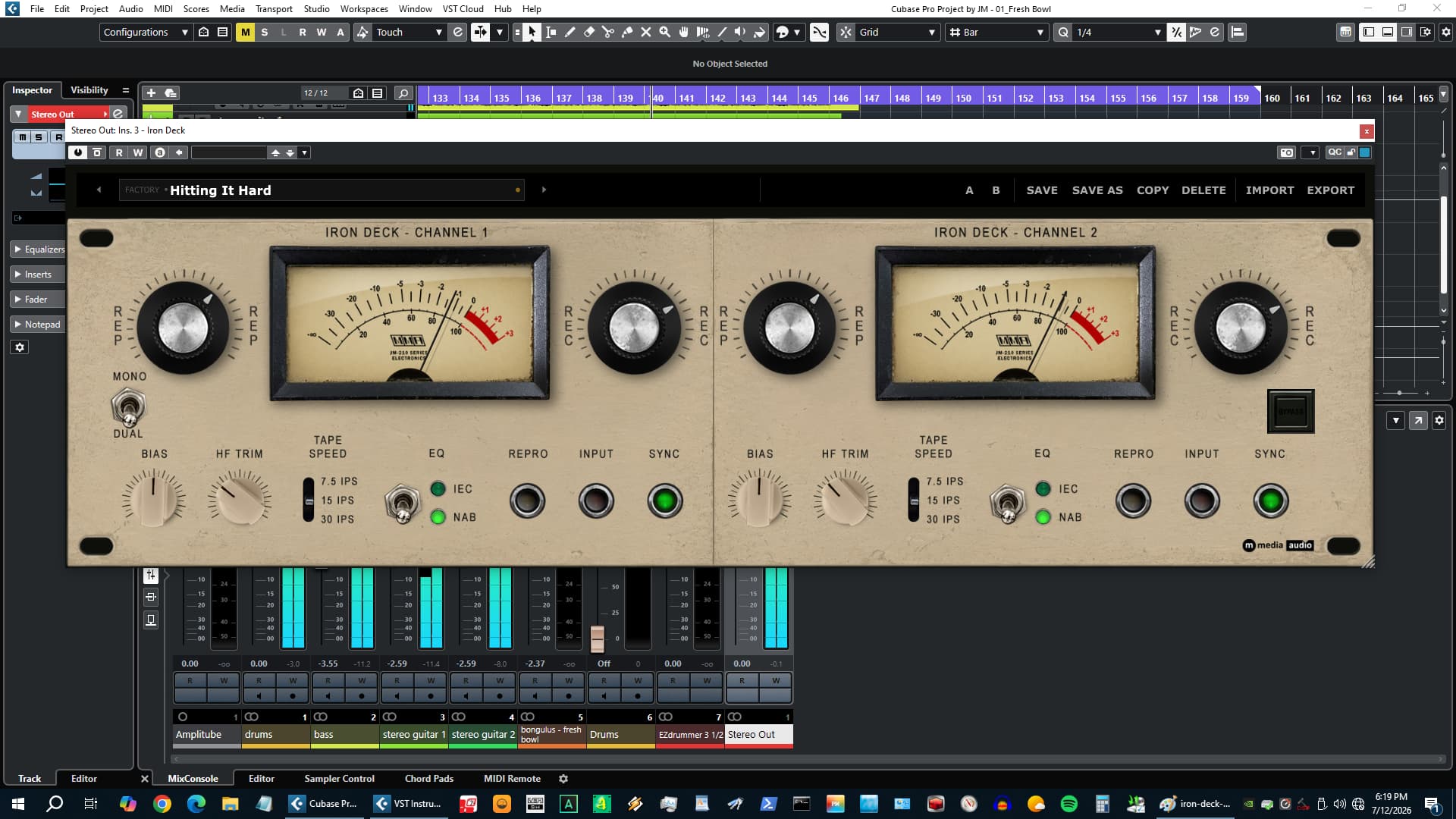
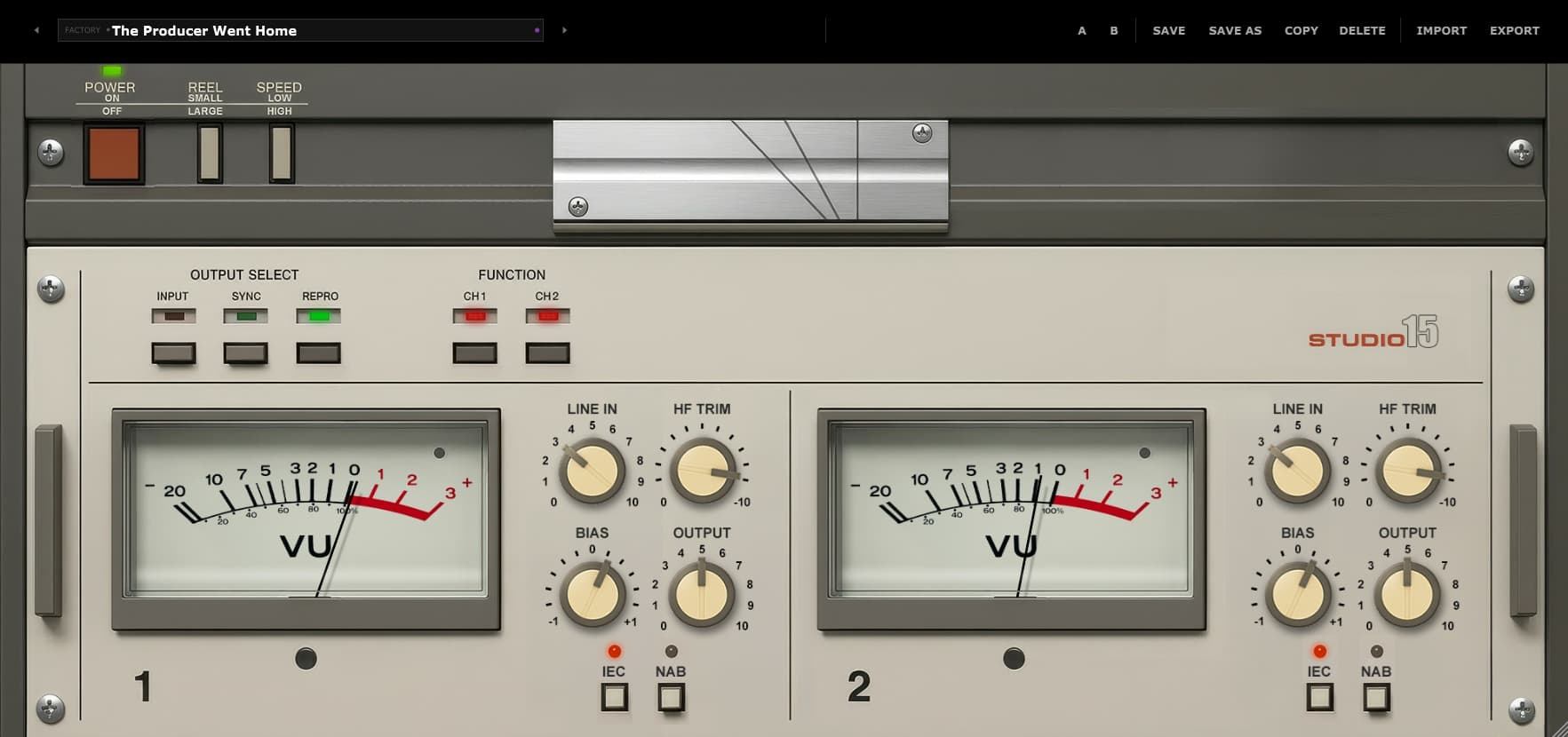
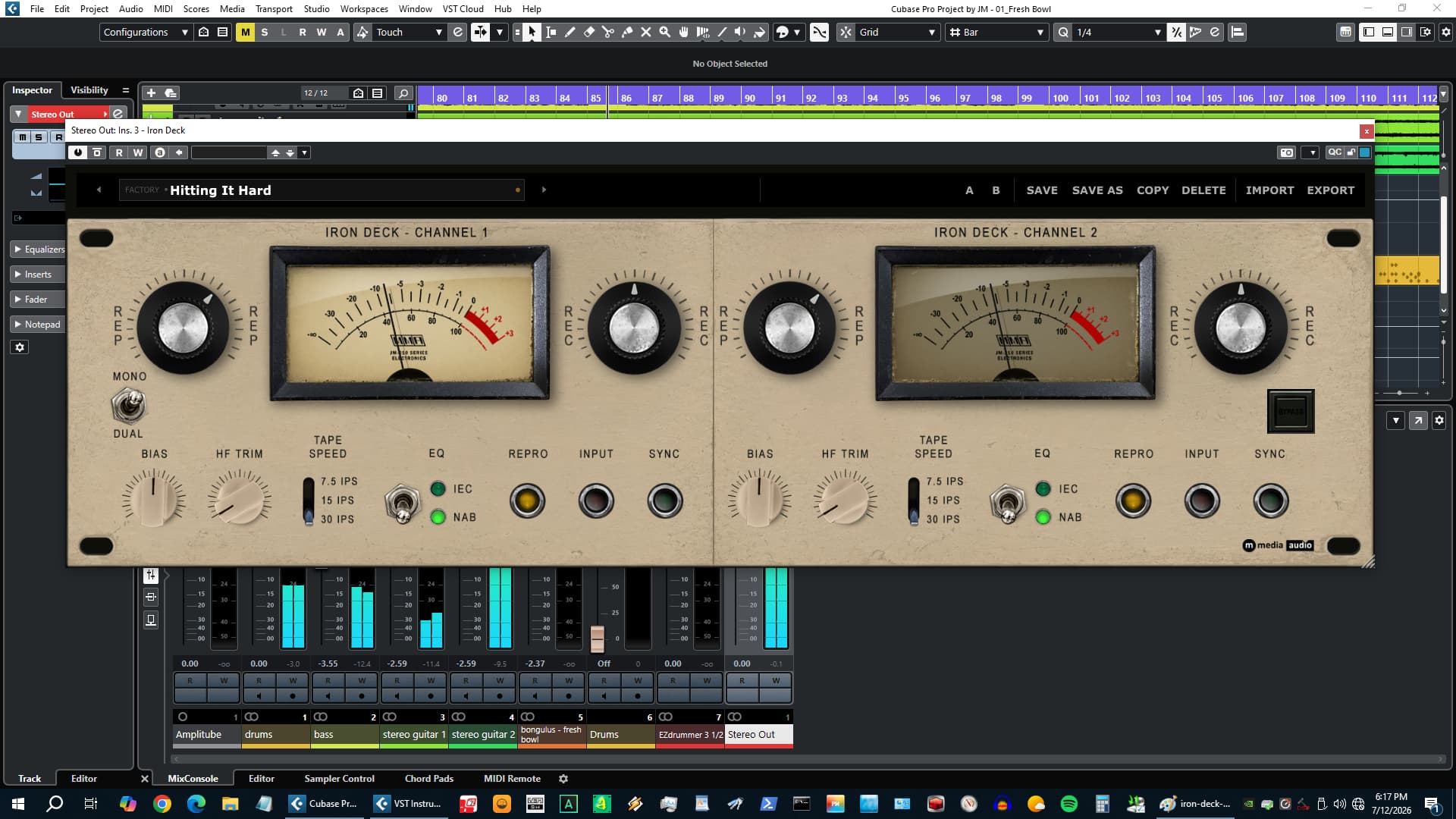
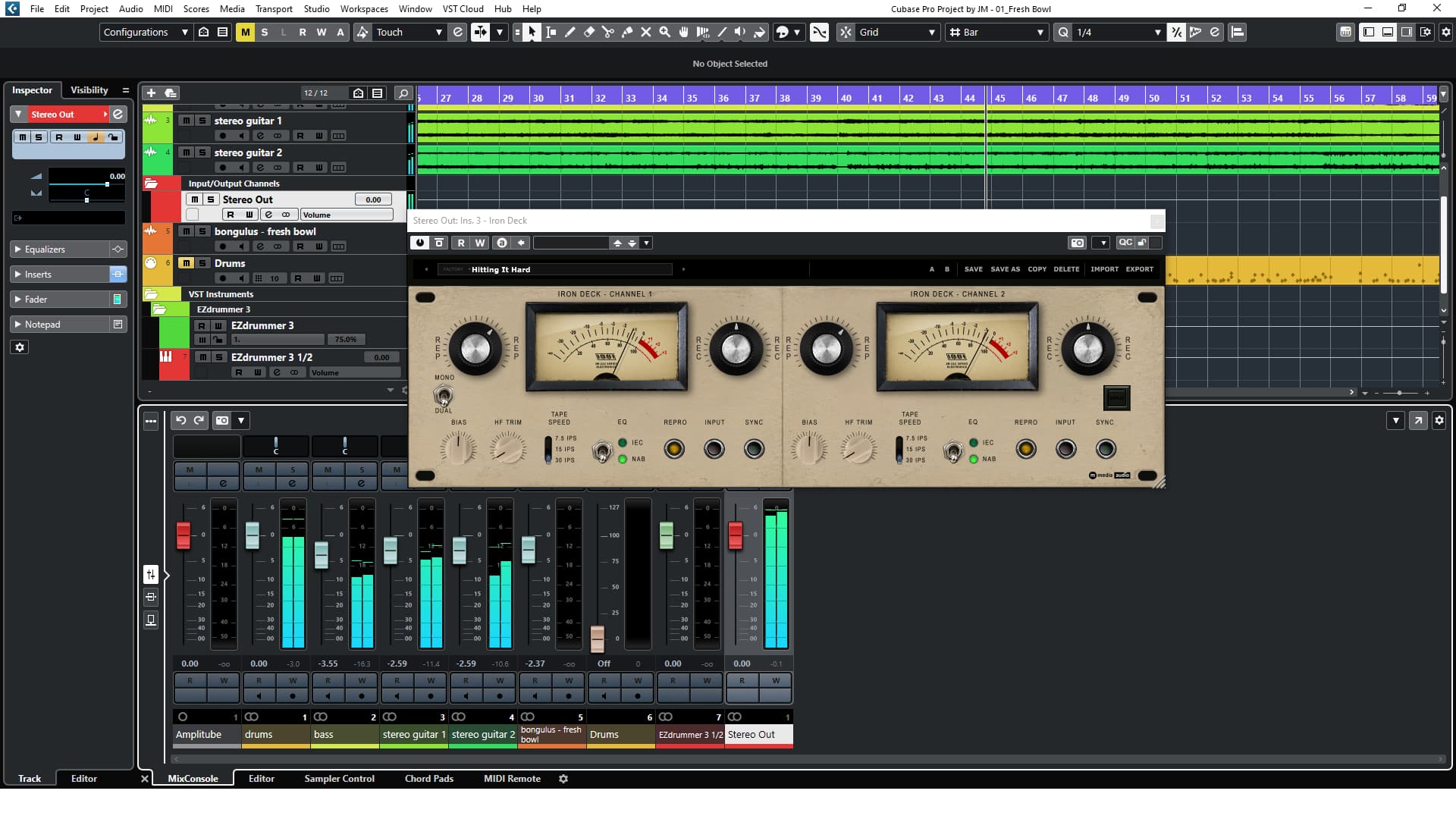
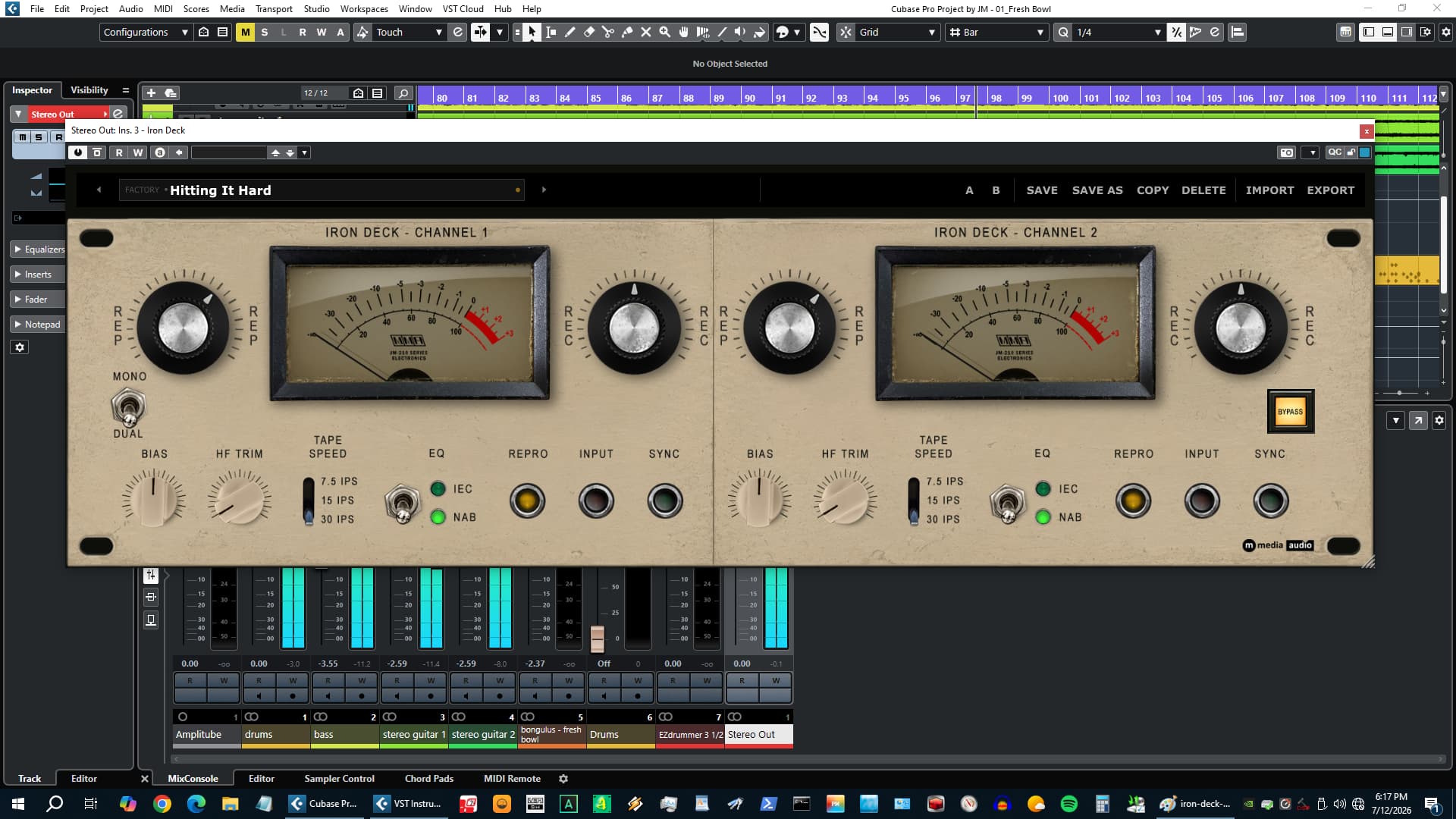
Iron Deck is not a stereo plugin with linked controls - it is two completely independent tape machine channels sharing a single enclosure. REC, REP, BIAS, HF TRIM, TAPE SPEED, IEC/NAB, and REPRO/INPUT/SYNC are all per-channel with their own states and DSP paths. Run both channels identically for a matched stereo pair. Drive the left harder than the right. Set channel one to NAB and channel two to IEC. Use SYNC mode on one side and REPRO on the other. The channels do not know about each other. Load it on a stereo bus and the left and right sides operate completely independently through the same circuit. Load it on a mono track and the left channel activates, the right panel goes dark, the plugin responds as a single mono tape machine. The DAW drives the bus configuration automatically - no settings to change.
- Stereo instance - Both channels active, fully independent controls and DSP
- Mono instance - Left channel active, right panel dark - single tape machine path
- VU meters - One per channel, post-REP output level, calibrated needle ballistics
- No inter-channel linking - Every parameter is its own state. Total independence
Put It on a Vocal. Put It on a Bus. Put It on Everything.
A single instance at moderate REC adds the kind of weight and presence that used to require running a track through a real machine. Pushed harder on a drum bus, it rounds transients and pulls the kit together in a way that compression alone cannot replicate - because the harmonic content is doing half the work. On a mix bus it adds the gentle, physical cohesion of a tape path. On a single vocal track it makes the performance feel like it was captured on something with character. Load up a preset, push the REC to where it feels right, and move on. The iron does the rest.
Free Forever
No subscription, no expiry, no catch. Download it, use it on every session.
No Account Required
Enter your email, we send the download link. Nothing else required.
All Three Platforms
Windows VST3, macOS VST3 and AU (Universal Binary), Linux VST3. One download covers all.
Direct Support
You email us, we answer. No ticket queues, no bots.
System Requirements
Format
VST3 (64-bit) - Windows, macOS, Linux
AU (64-bit) - macOS only
Platform
Windows 10 / 11
macOS 11 Big Sur or later (Apple Silicon + Intel)
Linux - Ubuntu 22.04+ or equivalent
DAW Compatibility
Any VST3-compatible host: Reaper, Cubase, Studio One, Ableton Live, FL Studio, Bitwig Studio, Nuendo, and more
AU (macOS): Logic Pro, GarageBand, MainStage
License
Free - no license key required
Unlimited installs
No activation server
No telemetry
SHA-256 (mmedia-iron-deck-v1.0.0.zip): F7D6349D3FF985BF767D159A7F89C399B8079BE1DB02E236EAF9D0D24F55BB1A
Iron Deck
Free. No account, no activation, no expiry.
By downloading you agree to our EULA and Privacy Policy.
Pro Audio
From Rugrats to the President
Over a two-decade career, production sound mixer Greg Murphy has miked up everyone from a crawling baby to a U.S. president.