Reference Player

It Just Sounds Better. From Steely Dan to Jack White, from Thundercat to Angine De Pointine,
from Red Garland to Rachmaninoff; press play and it already sounds better.
A Mastering-Grade Desktop Audio Player Built by Working Audio Engineers For The Rest Of Us.

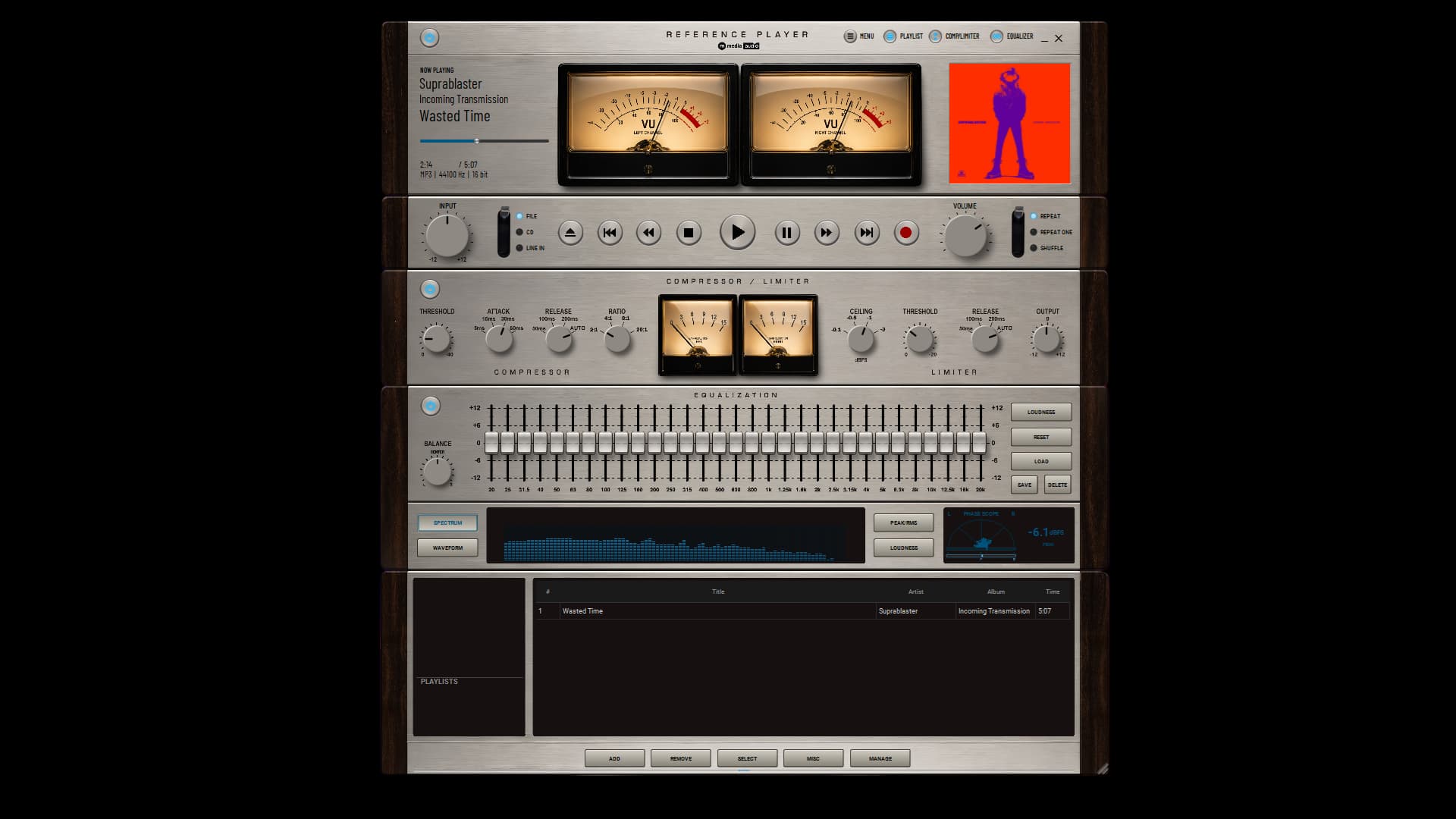
Reference Player Full View - dual VU meters, compressor/limiter, 31-band EQ, and playlist in the 70s Hi-Fi theme

Reference Player

Free on Windows and Linux. No subscription, ever.

Windows

Get it from the Microsoft Store ⁠Free

Secure checkout via Microsoft · Instant install

Linux

Download Linux ⁠Free

AppImage via GitHub · Instant download

Reference Player is free.

No trial clock. No subscription. No account. No crippled “free edition.”

Reference Player is a mastering-grade desktop audio player for Windows and Linux, built by working audio engineers for people who genuinely care how music sounds.

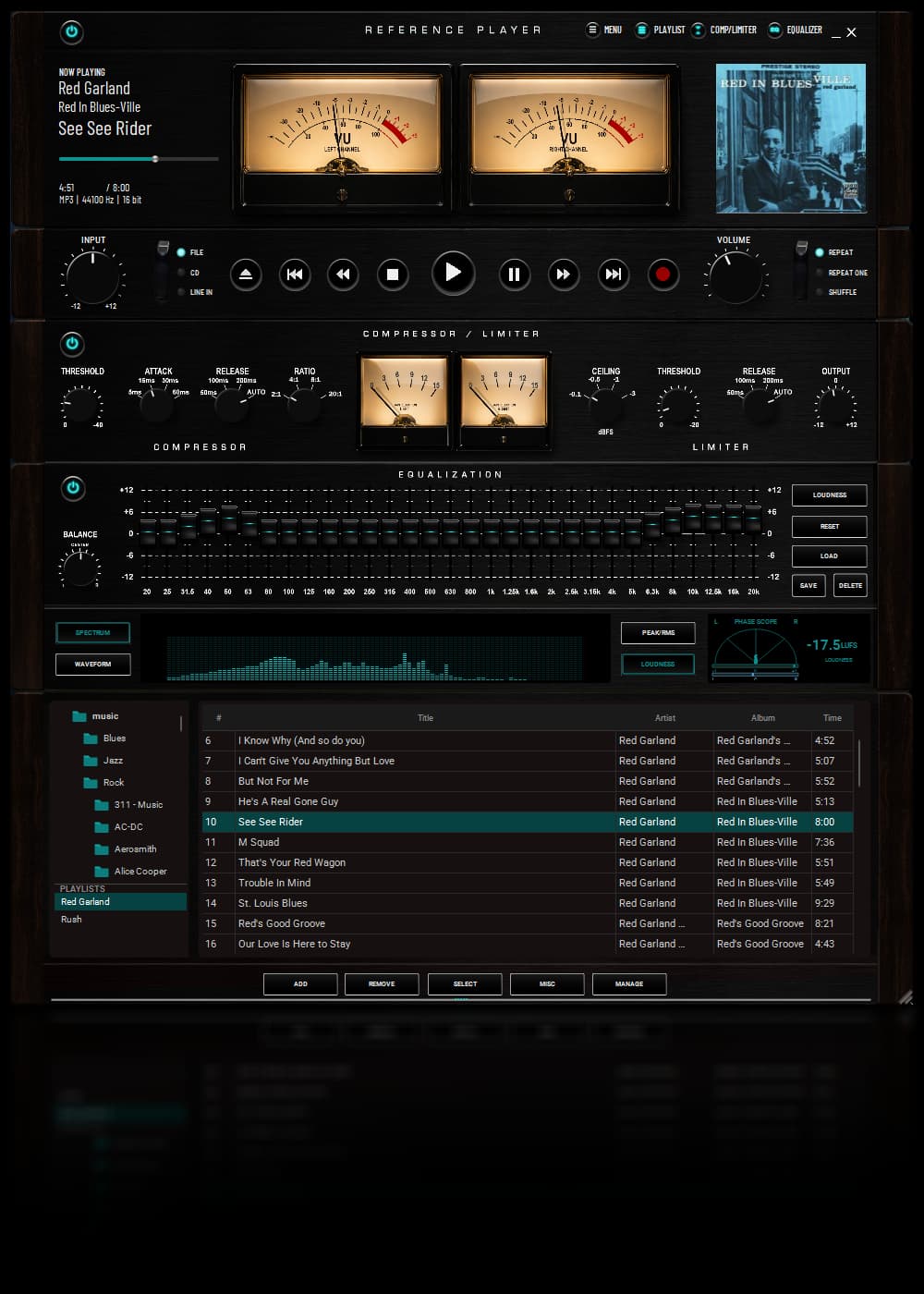
Play music from your files, CDs, or a live line input. Shape the sound for your room, speakers, or headphones with a full 31-band EQ. Smooth out uneven recordings with studio-quality VCA compression and limiting. Watch real VU meters, spectrum analysis, phase correlation, peak levels, RMS, and loudness while your music plays.

Everything you need to listen is included.

The only paid feature is disc burning, and it costs about the same as buying the developer a coffee.

Download Reference Player Free

No account required. Nothing sent to the cloud. Your music stays yours.

The Player We Wanted Did Not Exist

Most audio players do one thing: play the file.

That would be fine if every recording had the same loudness, every pair of headphones sounded perfect, every speaker was properly placed, and every room had professional acoustic treatment.

Most rooms do not.

Hard floors, bare windows, awkward furniture, laptop speakers with no bottom end, headphones that become exhausting after twenty minutes, and desktop systems that somehow make the bass disappear completely. Even a great recording can sound disappointing when the room and playback system get involved.

Reference Player gives you the tools to do something about it.

It was built by people who record, mix, and master music, but it was designed so you do not need to be an audio engineer to enjoy it.

If your speakers sound muddy, pull back the lower mids slightly. If your headphones are too bright, soften the top end. If older recordings seem quiet next to newer ones, add just a touch of compression and limiting.

The adjustments are usually smaller than you think. Reference Player remembers them, so once your system sounds right, it stays right.

Reference Player compressor/limiter and 31-band graphic EQ in the Metal theme

Serious Sound Without the Studio Homework

Underneath Reference Player is a studio-inspired playback chain designed for control, clarity, and musicality. You can use as much or as little of it as you want.

Leave everything untouched and simply enjoy a beautiful, capable music player. Or make a few careful adjustments and get more from the speakers and headphones you already own.

31-Band Equalizer

A full 31-band EQ gives you precise control across the entire audible spectrum. It can make broad tonal changes, correct a troublesome frequency in your room, reduce headphone fatigue, restore missing bass, or gently reshape an imperfect recording. No mystery controls - move a slider up or down and listen. Your ears will tell you when it is right.

VCA Bus Compression

Reference Player includes VCA-style bus compression inspired by the processing used to help finished mixes sound controlled and cohesive. You do not need to crush the music - in fact, you should not. Lower the threshold until the meter moves just a little. That small amount can smooth unruly peaks and help recordings from different albums, artists, and decades sit together more naturally.

Mastering Limiter

The built-in limiter catches excessive peaks and helps protect against overload when processing is active. Used carefully, it adds control without draining the life from the recording or simply making everything obnoxiously louder.

See What You Hear

Reference Player includes live visual monitoring normally found in recording and mastering software:

  • Real VU meters
  • Live spectrum analyzer
  • Phase scope
  • Peak metering
  • RMS metering
  • Loudness metering

You do not need meters to love music. But when you want to understand why one recording hits differently from another, they are fascinating to watch and genuinely useful.


Three Players in One

Full Player

The complete Reference Player experience. Your library, queue, transport controls, VU meters, compressor, limiter, 31-band EQ, and visual analysis tools are all available in one beautifully designed window.

Strip Player

The same playback engine and processing controls in a slim, dockable window. Leave it running beside your other applications, or scale it anywhere from 75% to 200% when you want more room to work.

Mini Player

A small, unobtrusive player that stays close to the system tray. See what is playing, pause, skip, or move through your queue without keeping the full interface open.

Reference Player Strip View - docked sidecar with VU meters, compressor, and EQ panels open

Made to Look Like Something

Reference Player does not look like a spreadsheet with a Play button.

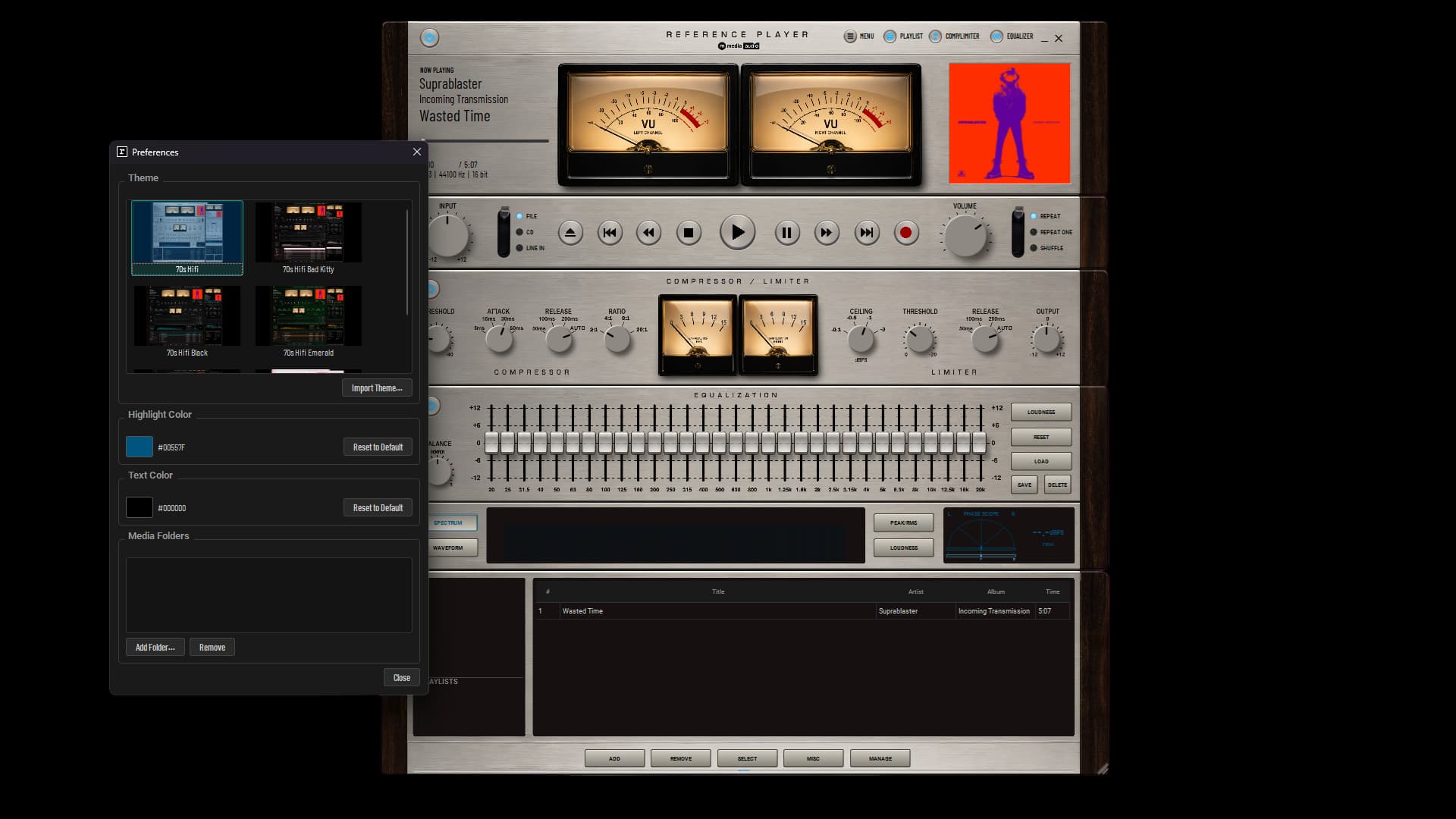
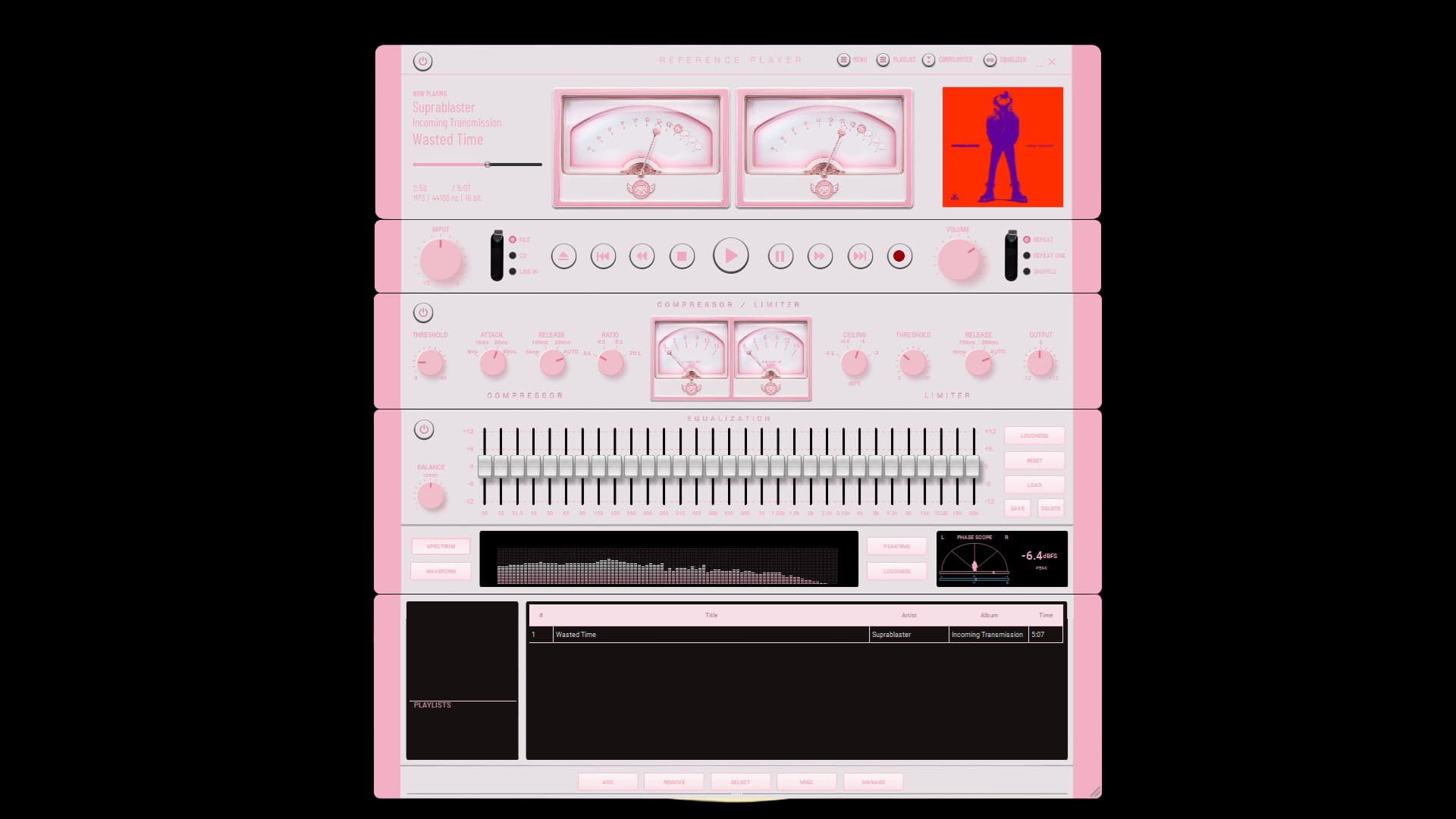
Real VU meters move with the music. The spectrum analyzer shows the shape of every recording. The phase display brings stereo information to life. Six themes can transform the color, artwork, and personality of the player instantly, without restarting it.

Every theme uses the same playback engine underneath.

The personality changes. The sound does not.

Reference Player is not a utility you tolerate. It is something worth leaving open.

Reference Player Preferences dialog - theme gallery for switching between six official themes

Your Music, Wherever It Lives

Reference Player brings several sources together in one player:

  • Local audio files
  • Watched music folders
  • Audio CDs
  • Live line input
  • Drag-and-drop playback
  • Playlists and queue management
  • CD ripping to MP3, FLAC, or WAV
  • File associations
  • Winamp-style keyboard shortcuts

A sample track is included, so there is something to hear the first time you open it.

Reference Player requires no account and sends nothing over the network. Your files, library, settings, and listening habits remain on your computer. Always.

Reference Player library, playlist, and source selector in the Bad Kitty theme

Reference Player Can Burn Discs, Too

Drag tracks from your library and create:

  • MP3 data discs
  • FLAC data discs
  • True Red Book audio CDs
  • Loudness-matched audio CDs

The loudness-matching option analyzes the entire collection before burning, helping every track play at a more consistent level.

That means no quiet song followed by another that suddenly blows the doors off.

Choose your disc format, arrange the tracks, and click Record. Disc creation works regardless of which playback input is currently selected.

Burn Discs for $5. Once.

Everything in Reference Player is free except disc burning.

A one-time $5 unlock activates every burning format on one computer. There is no subscription, renewal, usage limit, or recurring charge.

Your unlock is yours for good.

Do not burn discs, but love Reference Player anyway? Use the same button and buy the developer a coffee. You will still unlock disc burning, and you will help keep independent software alive.

Unlock Disc Burning and Buy the Developer a Coffee: $5

One payment. One computer. Yours forever.

Better, Smoother, and More Reliable

This release also fixes several real-world problems reported during everyday use, including:

  • Improved M4A playback
  • Correct library column resizing
  • Window sizes remembered between sessions
  • Additional playback and interface fixes
  • General visual and usability improvements throughout

Free Means Free

Reference Player is not free for seven days.

It is not free until you reach a playlist limit.

It does not lock the EQ, compressor, meters, themes, library, CD playback, or other useful features behind a subscription.

Download it. Install it. Play your music.

If it becomes the player you leave open every day, five dollars unlocks disc burning and buys its independent developer a cup of coffee.

That is the whole deal.

Download Reference Player Free

No trial clock. No subscription. No account. No nonsense. Just a better way to listen.

🔒

No Telemetry

Nothing sent over the network. Your music and your listening habits stay on your machine, always.

Free on Windows and Linux

No subscription, ever. Disc burning unlocks once for $5, yours for good.

🎵

Built by an Engineer

Designed and tuned by a working mastering engineer, not a generic software team.

Direct Support

You email us, we answer. No ticket queues, no bots, no knowledge base rabbit holes.

System Requirements

Format

MSIX via Microsoft Store (Windows)
AppImage, no install required (Linux)

Platform

Windows 10 / 11, Linux (64-bit, glibc 2.29+)

Formats Supported

MP3, FLAC, AAC, OGG, WAV, AIFF, WMA, OPUS

Metering

RMS VU, gain-reduction, spectrum, phase, and BS.1770 LUFS

License

Windows and Linux are both free, with an optional one-time $5 unlock for disc burning.

Version History

v1.1.1 Aug 2026 Reference Player is now free on Windows, with disc burning available as an optional one-time unlock.

Reference Player

Free on Windows and Linux. No subscription, ever.

Windows

Get it from the Microsoft Store ⁠Free

Secure checkout via Microsoft · Instant install

Linux

Download Linux ⁠Free

AppImage via GitHub · Instant download

From the Industry

Pro Audio