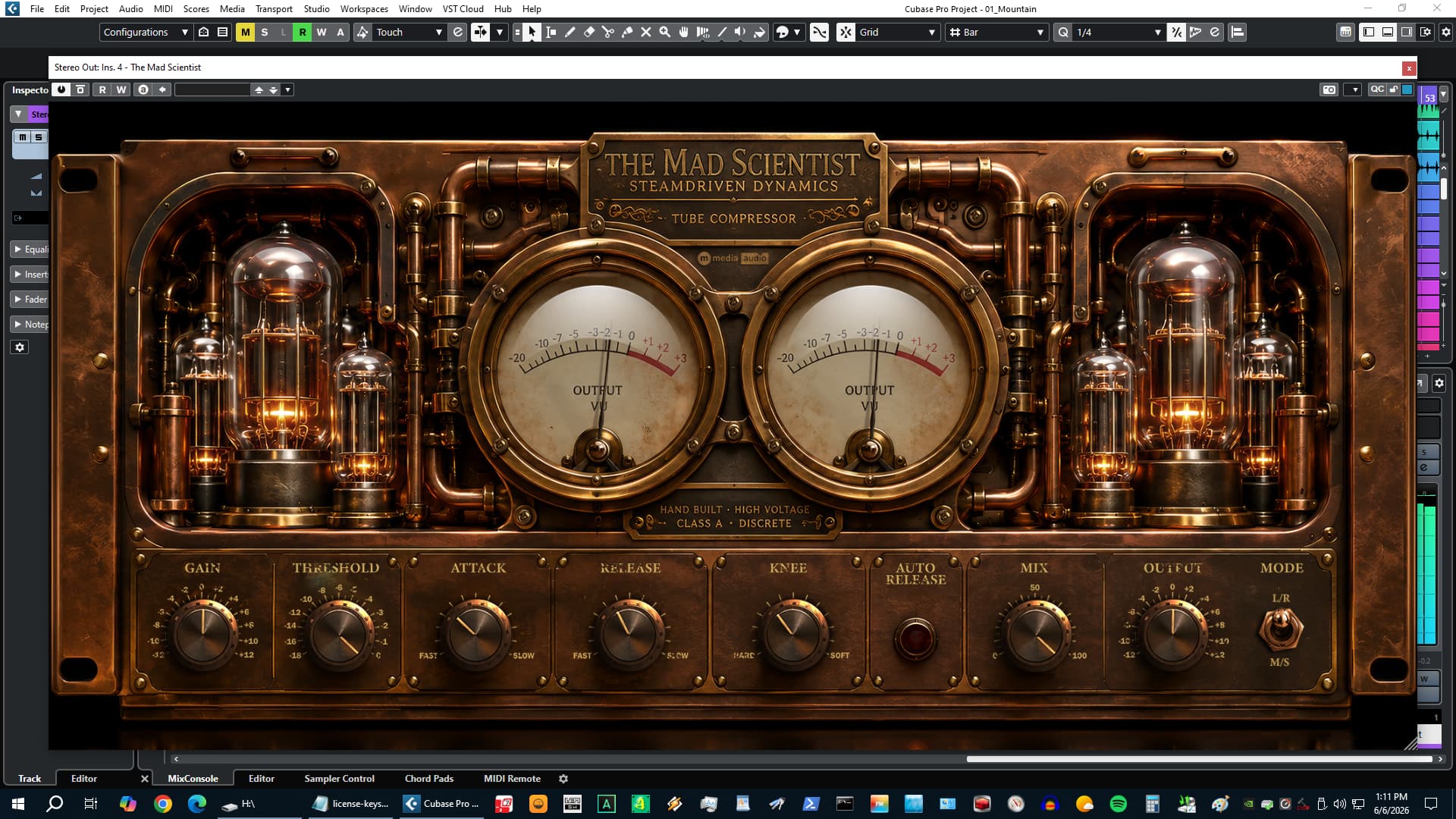
Parallel compression is one of those techniques that gets talked about a lot more than it gets used correctly – or effectively. The theory is everywhere. The execution is usually either too subtle to matter or so heavy it ruins the dynamics that made the source interesting in the first place. The Mad Scientist started as an attempt to solve that problem in hardware-informed terms: build the parallel blend into the plugin, build the saturation into the input stage, and make the relationship between drive and character as direct as possible.
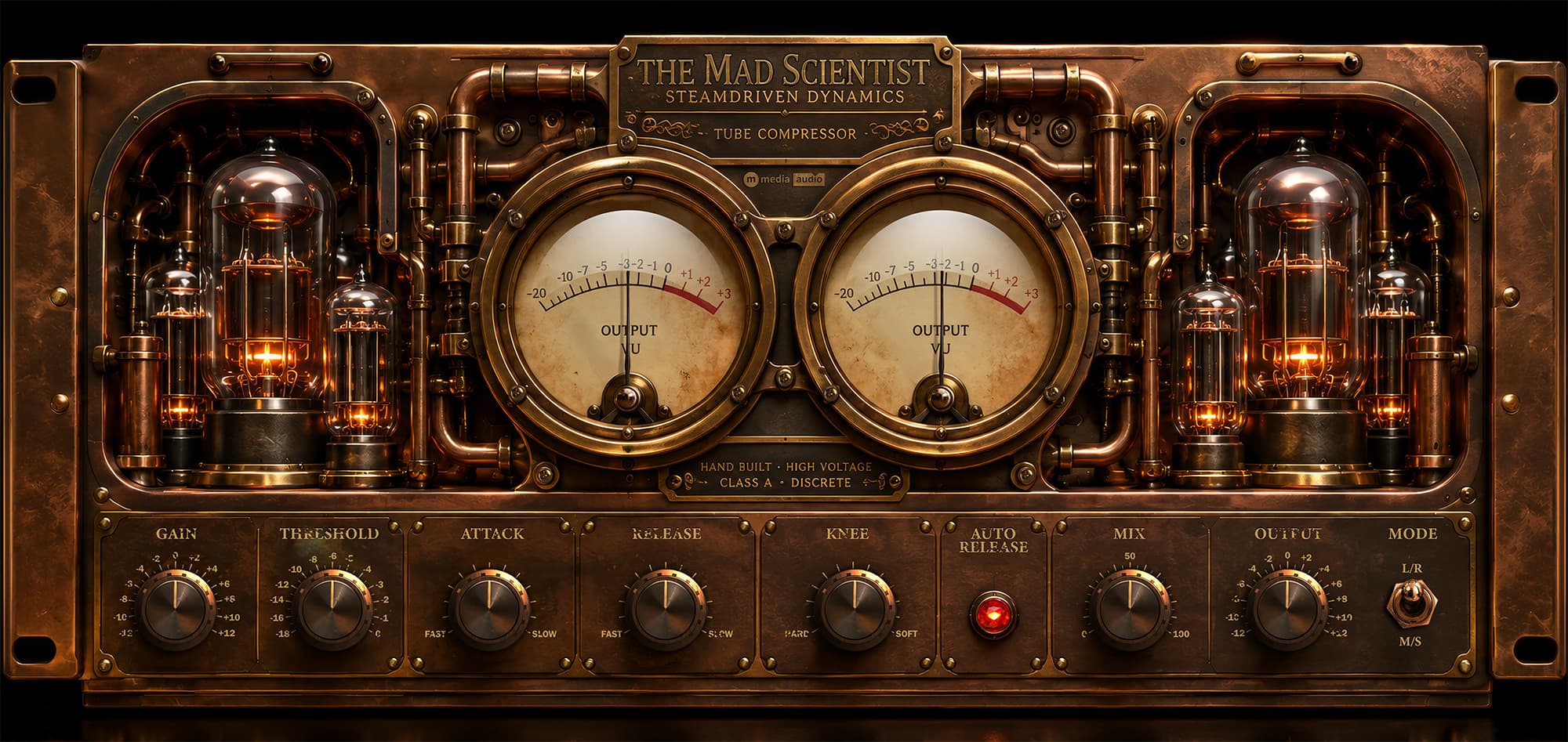
Push the Gain control. The tubes glow. The even-order harmonics build. Pull back, they clean up. The Mix knob sets how much compressed signal blends back against the dry. That is the whole instrument. Everything else is there to support those two decisions.
The Design
The core is a fixed 4:1 RMS compressor with program-dependent auto-release. RMS detection responds to the body of the program, not just its peaks – it catches how a mix is actually moving rather than just reacting to transients. Fixed ratio keeps it out of your way. The auto-release adapts: fast when the compressor is working hard, slow when it is barely touching. You set the threshold and let it run.
The saturation is built directly into the input stage, before the parallel split. That is a deliberate choice. When both the wet compressed signal and the dry signal carry the harmonic color from the input gain, the saturation stays consistent at every Mix setting. There is no weird interaction where the dry path stays pristine while the wet path gets dirty. The character applies uniformly, and blending wet and dry does not change the tonal balance – only the dynamics.
M/S mode processes the mid and side channels independently, which solves the most common failure mode of parallel buss compression: stereo narrowing. When you compress L/R, the stereo image tends to collapse slightly under load. Process M and S independently, and the sides breathe on their own while the center stays controlled. Width stays intact even under heavy compression settings.
The dual VU meters show output level on left and right channels with 300 ms analog ballistic response. When one needle pulls ahead of the other, you know the image is shifting before you hear it. When bypass engages, the needles decay to rest rather than snapping off. It is a small thing, but it matters in a session where you are switching bypass on and off constantly during a mix.
Three Platforms, One Build Process
The Mad Scientist ships for Windows, macOS, and Linux. Getting all three out the door without maintaining three separate build environments required setting up a proper CI pipeline early, and that work paid for itself immediately.
The Linux situation in professional audio is real and underserved. Reaper runs natively on Linux and is genuinely used by working engineers. Bitwig is Linux-native. The audience is smaller than Windows or macOS, but the engineers using Linux tend to be technical and appreciative of being treated like first-class users. Shipping for Linux is not a checkbox for us – it is a commitment we made before writing the first line of DSP code.
The Linux build taught us exactly which dependencies a JUCE audio plugin actually needs versus what the documentation assumed would be present. Ubuntu 22.04 dropped a webkit dependency from the default package list that older build scripts expected. Finding that, stripping the apt install list down to what audio plugins actually require, and getting a clean CI run across Ubuntu 22.04 took two days of debugging that nobody will ever see in the finished product. That is fine. That is the job.
macOS notarization is a different kind of overhead. Apple requires a signed and notarized bundle – Developer ID certificate, notary API key, stapled ticket – before macOS will launch a plugin without security warnings. The Gatekeeper workflow is not optional if you want a professional experience on Apple hardware. Setting up the full notarization pipeline through GitHub Actions took significant iteration. Every subsequent plugin inherits that infrastructure, so the sunk cost has already paid off across the whole line.
Who It Is For
The Mad Scientist works best on busses – drum buss, mix buss, full 2-buss. The fixed 4:1 ratio and RMS detection are tuned for buss use. The Mix knob covers the range from a hint of density all the way to full commitment. Most engineers find their setting somewhere between 60 and 90% and leave it. Push the Gain until the tubes start to glow and stop when you have the character you want. That is the workflow.
Demo mode is fully functional – the only restriction is a brief silence every 30 seconds. Drop it on your session, push the gain, and hear whether it does what you need before you spend anything.