

Tape Op
Gear Review

Mastering EQ.
Every Channel Is Under Investigation.
Perpetual license - pay once, own it forever.
By purchasing you agree to our EULA and Privacy Policy.
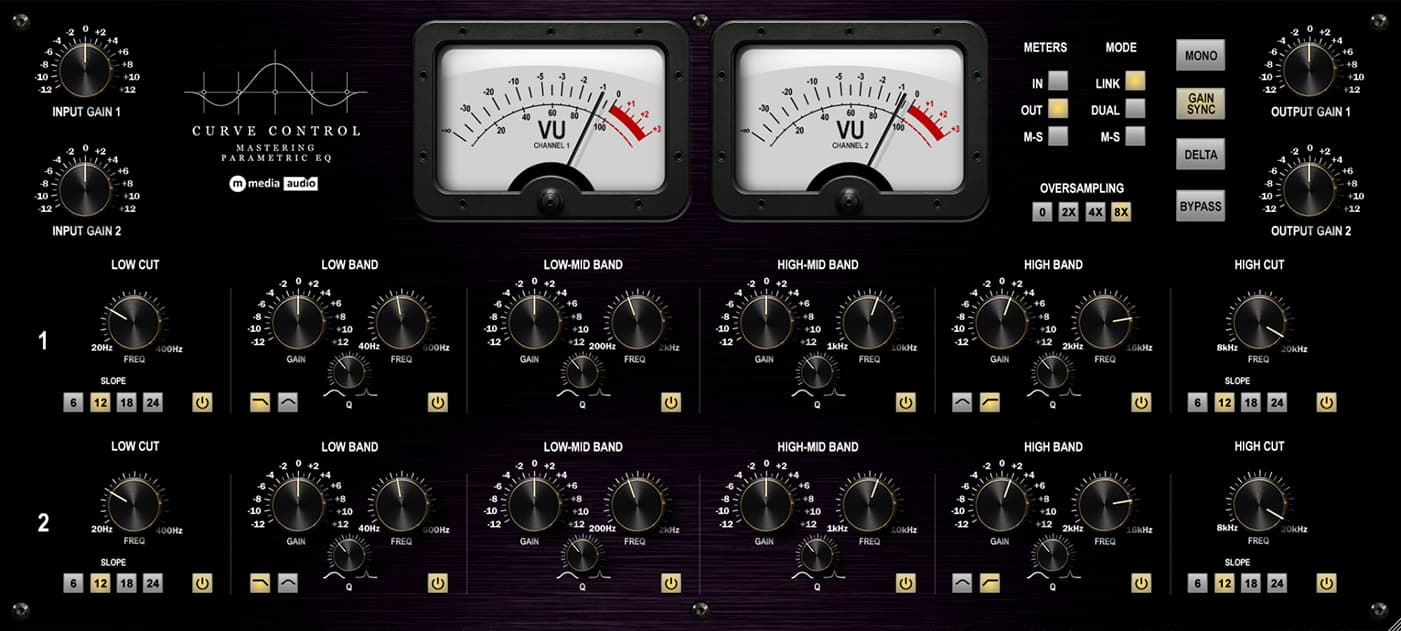
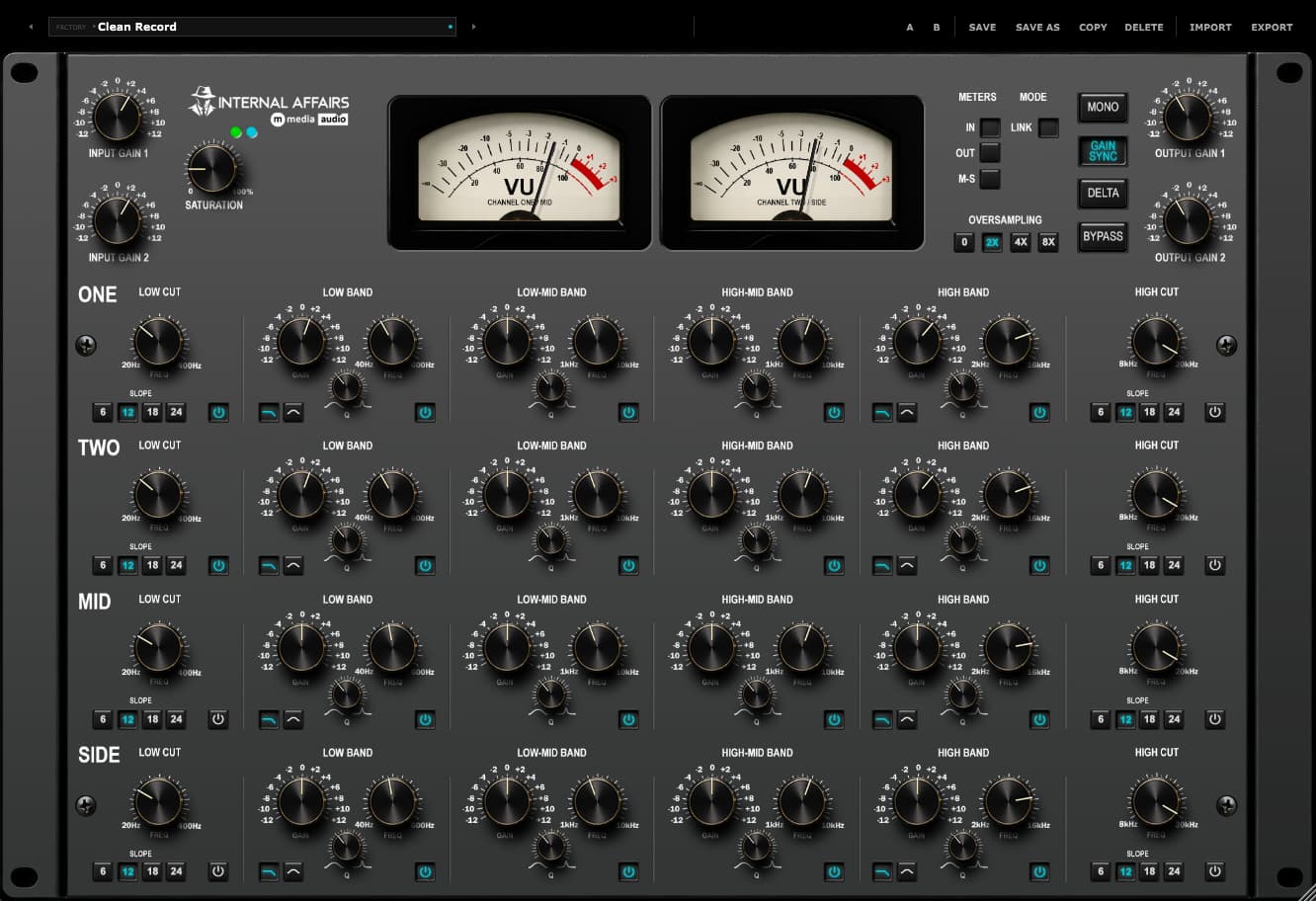
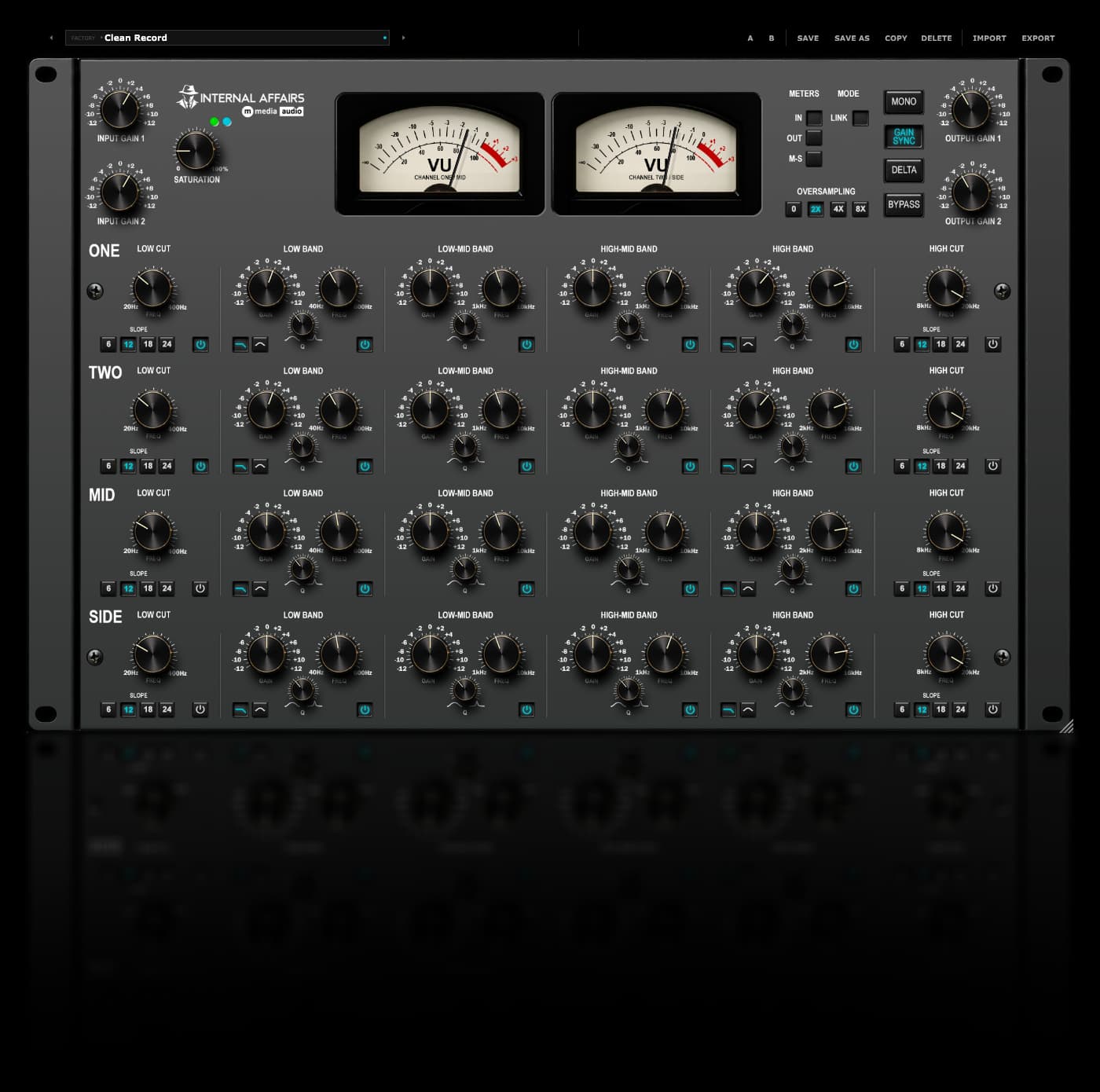
You shouldn't have to pick between working on left and right and working on mid and side. Internal Affairs does both at the same time. Four rows - Channel 1, Channel 2, Mid and Side - and every row is a complete EQ of its own, with a low cut, four parametric bands and a high cut.
Channel 1 and 2 work on the left and right channels, then the signal splits into mid and side. The Mid row works on the center of the image, the Side row works on the difference between the channels, and everything goes back together. Brighten the center, darken the sides, notch one resonance that only lives on the left - all in one pass, all in one window.
Hear It on Your Own Master.
The demo runs the full plugin, every row, every band, Saturation and Oversampling. Flat means flat - with nothing engaged the audio passes through untouched, so what you hear is only what you changed.
Try Internal Affairs FreeNo account required - we send the link to your email. Silences briefly every 30 seconds in demo mode.
Six Bands. Four Rows.
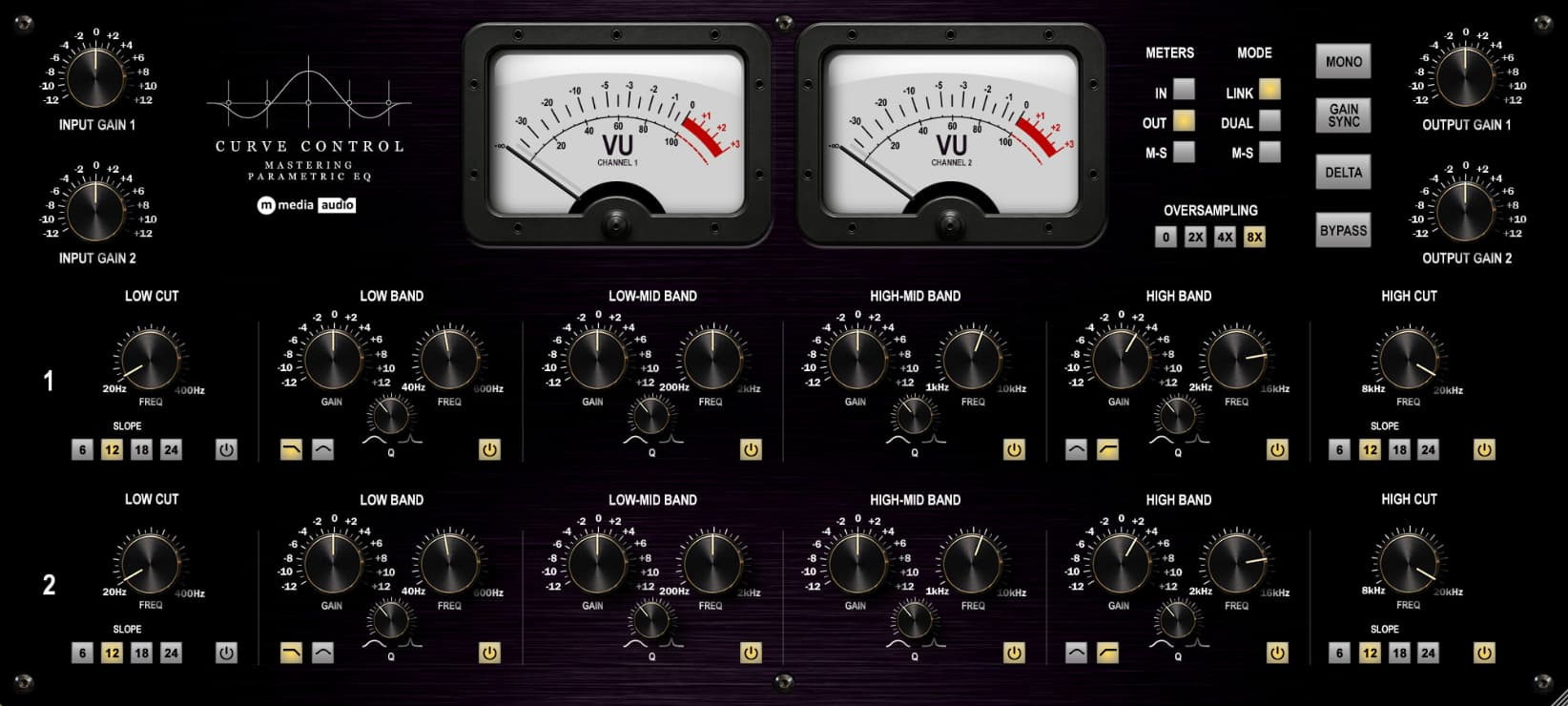
Each row has a Low Cut from 20 to 400 Hz, a Low band from 40 to 600 Hz, a Low-Mid band from 200 Hz to 2 kHz, a High-Mid band from 1 to 10 kHz, a High band from 2 to 16 kHz and a High Cut from 8 to 20 kHz. Everything starts flat and the cuts start off, so nothing changes until you touch something.
Link, Gain Sync and the Rest of the Panel
Link locks Channel 1 and 2 together - every band, plus the input and output gains - so a stereo move stays a stereo move. Mid and Side never follow it, because splitting them is the point.
Input Gain and Output Gain run ±12 dB on each channel. Gain Sync turns the Output knobs to the opposite of the Input knobs so your level stays where it was while you push. Mono sums the output so you can check what survives, Delta plays only what the EQ and Saturation are changing, and Bypass is a clean bypass.
Saturation and Oversampling
Saturation is one knob from 0 to 100% - warm, and level-matched, so turning it up never fools you with extra loudness. At zero it's off, completely. It works when Oversampling is on, and the EQ rows and the saturation run at the higher rate together, with a fixed latency your DAW compensates for.
Meters, Presets and the Window
Two VU meters show In, Out or M-S - the Mid and Side level of your output. They're average meters, with 0 sitting at -14 dBFS RMS. Ten factory presets - Clean Record, Interrogation Lamp, Hard Questions, Wire Tap, Cold Case, Good Cop, Bad Cop, Witness Protection, Plea Bargain and Evidence Locker - are starting points, gentle on purpose. A/B, Save, Save As, Copy, Delete, Import and Export handle your own. The window resizes and remembers its size.
One-time purchase. Yours forever. No subscription, no renewal.
Install on up to three machines simultaneously. Need to move a license? Email us.
Encrypted activation over HTTPS. No telemetry. No data leaves your machine during use.
You email us, we answer. No ticket queues, no bots, no knowledge base rabbit holes.
VST3 (64-bit) - Windows, macOS, Linux
AU (64-bit) - macOS only
Windows 10 / 11
macOS 11 Big Sur or later (Apple Silicon + Intel)
Linux - Ubuntu 22.04+ or equivalent
Any VST3-compatible host: Reaper, Cubase, Studio One, Ableton Live, FL Studio, Bitwig Studio, Nuendo, and more
AU (macOS): Logic Pro, GarageBand, MainStage
None with Oversampling Off
Fixed and reported to your DAW at 2x, 4x and 8x
Perpetual, single user
3 simultaneous activations
Need to move a license? Email us
Current version: 1.0.0
SHA-256 (mmedia-internal-affairs-v1.0.0.zip): af09bc0bc1f32098b0a119687bb0b73a86f2b38e28a271edd3eb5692663341ed
Tested on Ubuntu 22.04/24.04, Debian 12, Fedora 40. Requires one system library for license verification:
sudo apt install libsodium23        # Ubuntu / Debian
sudo dnf install libsodium          # Fedora / RHEL
sudo pacman -S libsodium            # Arch
VST3 only. Confirmed working in REAPER and Bitwig.
Perpetual license - pay once, own it forever.
By purchasing you agree to our EULA and Privacy Policy.

Carbonated Audio has released Foam, a tempo-synced ducking reverb plugin for macOS in VST3, AU and AAX formats. Foam is designed around a common mixing problem: a long reverb tail sounds big but...

Ellis brings nostalgic gear to his Forever Studio, along with some surprising twists. The post My Forever Studio: Kaelin Ellis is guided by video games appeared first on MusicTech.